It looks like you are coming from United States, but the current site you have selected to visit is China. Do you want to change sites?

- 登录
- 请求信息
- 查找位置
-
Enable high contrast mode
-
- Select language
- Africa (English)
- Afrique (Français)
- África (Português)
- África (Español)
- Argentina
- Australia
- Austria
- Azerbaijan
- Bahrain
- Belgium
- Belize
- Bolivia
- Brazil
- Bulgaria
- Canada English
- Canada Français
- Caribbean (English)
- Chile
- China
- Colombia
- Costa Rica
- Croatia
- Czech Republic
- Denmark
- Dominican Republic
- Ecuador
- El Salvador
- Europe
- Finland
- France
- Germany
- Greece
- Guatemala
- Guyana
- Honduras
- Hong Kong
- Hungary
- India
- Indonesia
- Iraq
- Ireland
- Israel
- Italy
- Japan
- Jordan
- Kazakhstan
- Korea
- Kuwait
- Lebanon
- Lithuania
- Malaysia
- Martinique
- Mexico
- Mongolia
- Netherlands
- New Zealand
- Nicaragua
- Norway
- Oman
- Panama
- Paraguay
- Peru
- Philippines
- Poland
- Portugal
- Puerto Rico
- Qatar
- Romania
- Saudi Arabia
- Singapore
- Slovakia
- Spain
- Sweden
- Taiwan
- Thailand
- Turkey
- U.A.E
- Ukraine
- United Kingdom
- United States
- Uruguay
- Uzbekistan
- Venezuela
- Vietnam
- Yemen

Enable high contrast mode
Managing sensor inputs and accessories with the S-Connect app
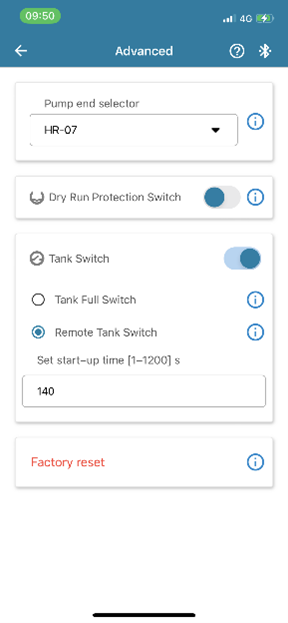
If you need to deactivate any sensor inputs of your LORENTZ pump system, this is easy with the S-Connect app.
- go to "Settings" and then "Advanced Settings".
- To activate or deactivate either input, tap onto the circle on the right.
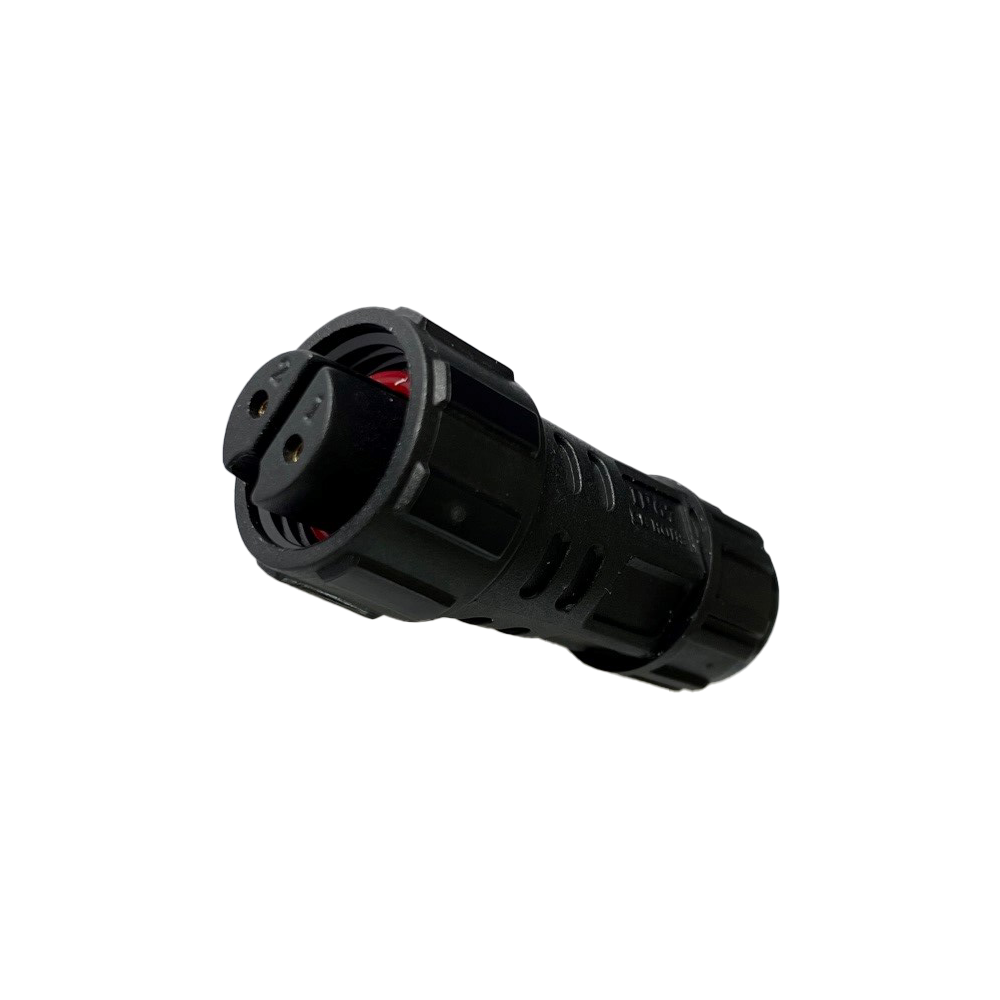
If the app is not used and inputs have been manually activated, jumper plugs (see picture below) need to be plugged into the sensor sockets.
Contact your local LORENTZ dealer to purchase jumper plugs.
Note: Jumper connectors cannot be used on the controller's "Tank switch input" if the "Remote Tank Switch" is activated.